PRIVACY WITHOUT THE TRADE-OFF

Private by design.
Useful by habit.

No INTERNET permission matters only if you keep the keyboard enabled. SottoKey pairs that structural privacy with the corrections, editing tools, layouts, and small comforts you use all day.

01 / WRITE

First, it has to type well.

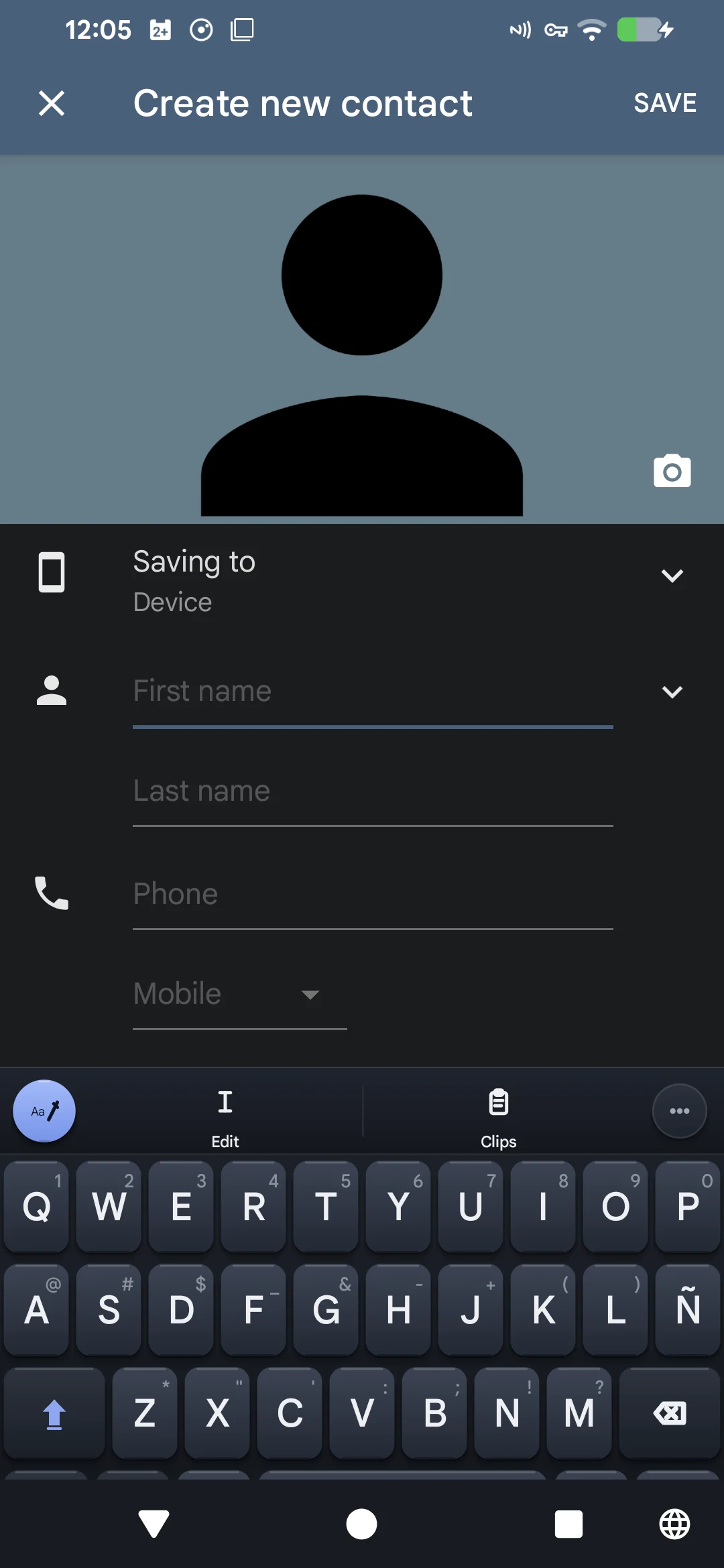
SottoKey replaces your Android keyboard, not your writing routine. Local autocorrect, learned words, adaptive hitboxes, emoji, clipboard tools, text editing, and one-handed layouts handle the everyday work.

  • English and Spanish layouts and correction
  • Local autocorrect and learned words
  • Glide typing in device validation
  • No server in the typing path
Current SottoKey keyboard inside the Android Contacts app
01

02 / REVISE

Fix the line, or change its tone.

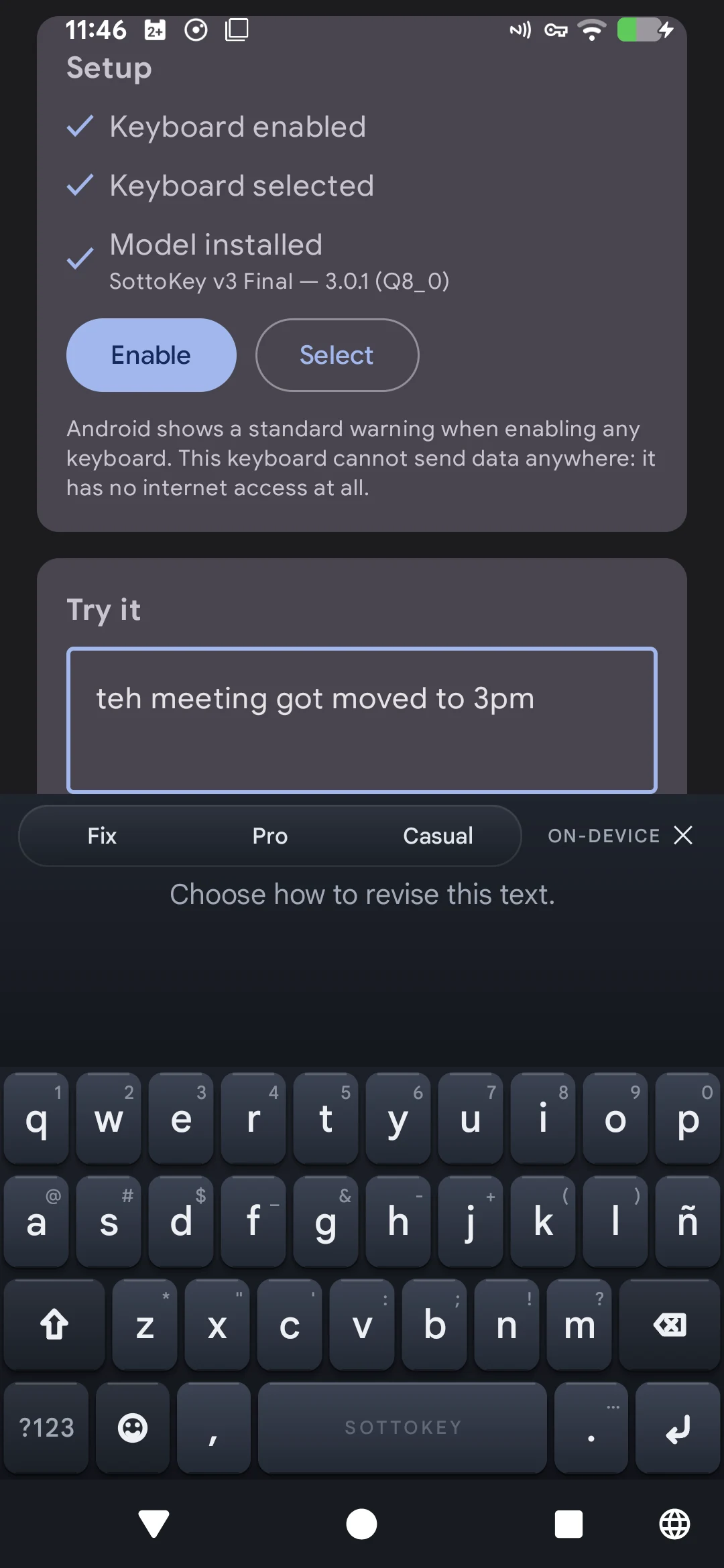
Fix cleans up grammar and spelling. Professional makes the wording more formal. Casual relaxes it. Each mode works on a selection or the paragraph around your cursor.

  • Selection or current paragraph
  • Fix, Professional, and Casual
  • Checks for changed numbers, links, and negation
  • Original text stays until you approve
Current SottoKey three-mode rewrite panel on Android
02

03 / REVIEW

See the edit before it becomes yours.

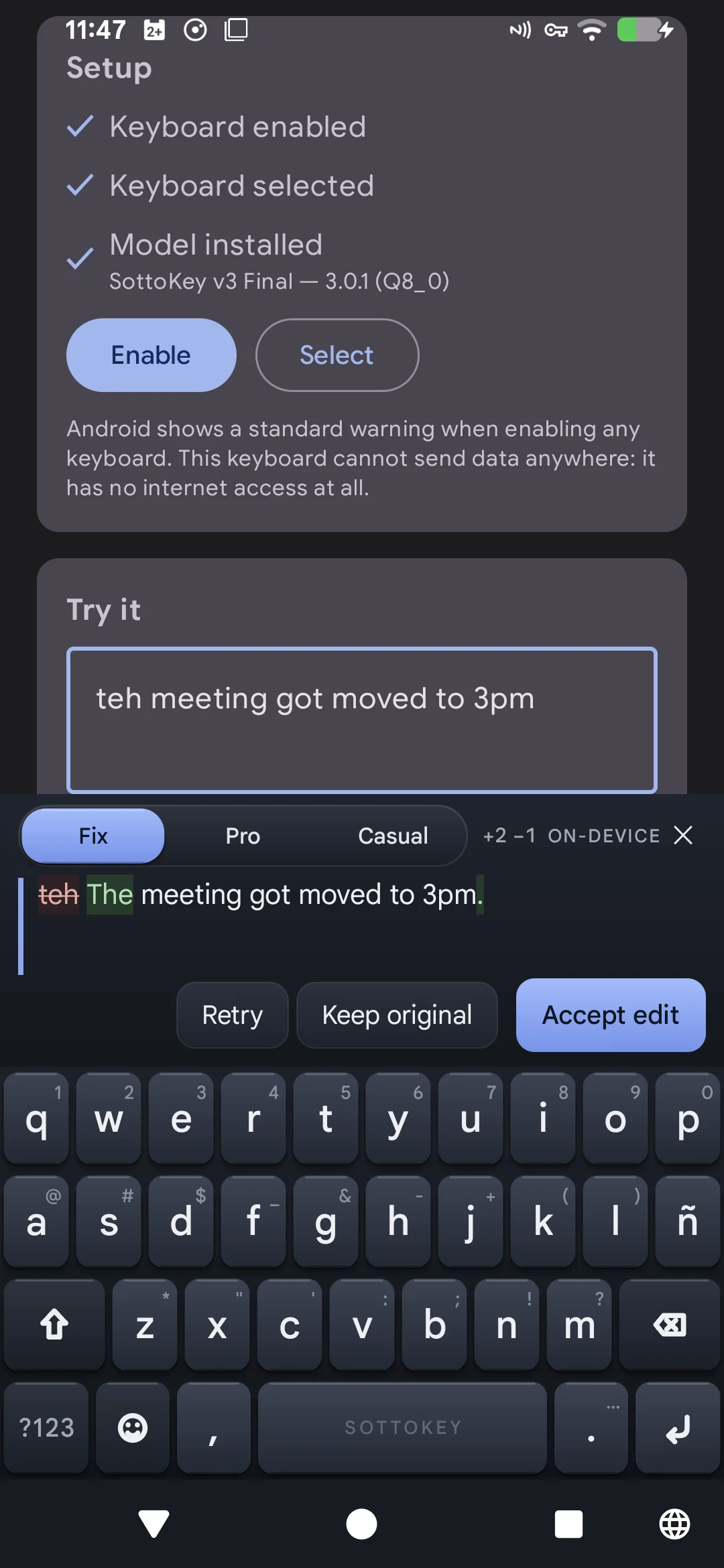
Small models sometimes choose the wrong word. SottoKey marks every insertion and deletion, then waits. Keep the original, accept the edit, or undo it immediately.

  • Clear insertion and deletion marks
  • No replacement before approval
  • Keep original or accept edit
  • Undo immediately after applying
Current SottoKey rewrite panel showing a real device diff
03

04 / PROTECT

No route to the internet.

The Android production build requests no INTERNET permission. There is no account, telemetry SDK, cloud model, or remote logging. Password-class fields disable suggestions, learning, rewriting, and clipboard capture.

  • No INTERNET permission
  • No account or analytics
  • Typed sentences are not saved automatically
  • Cloud backup disabled
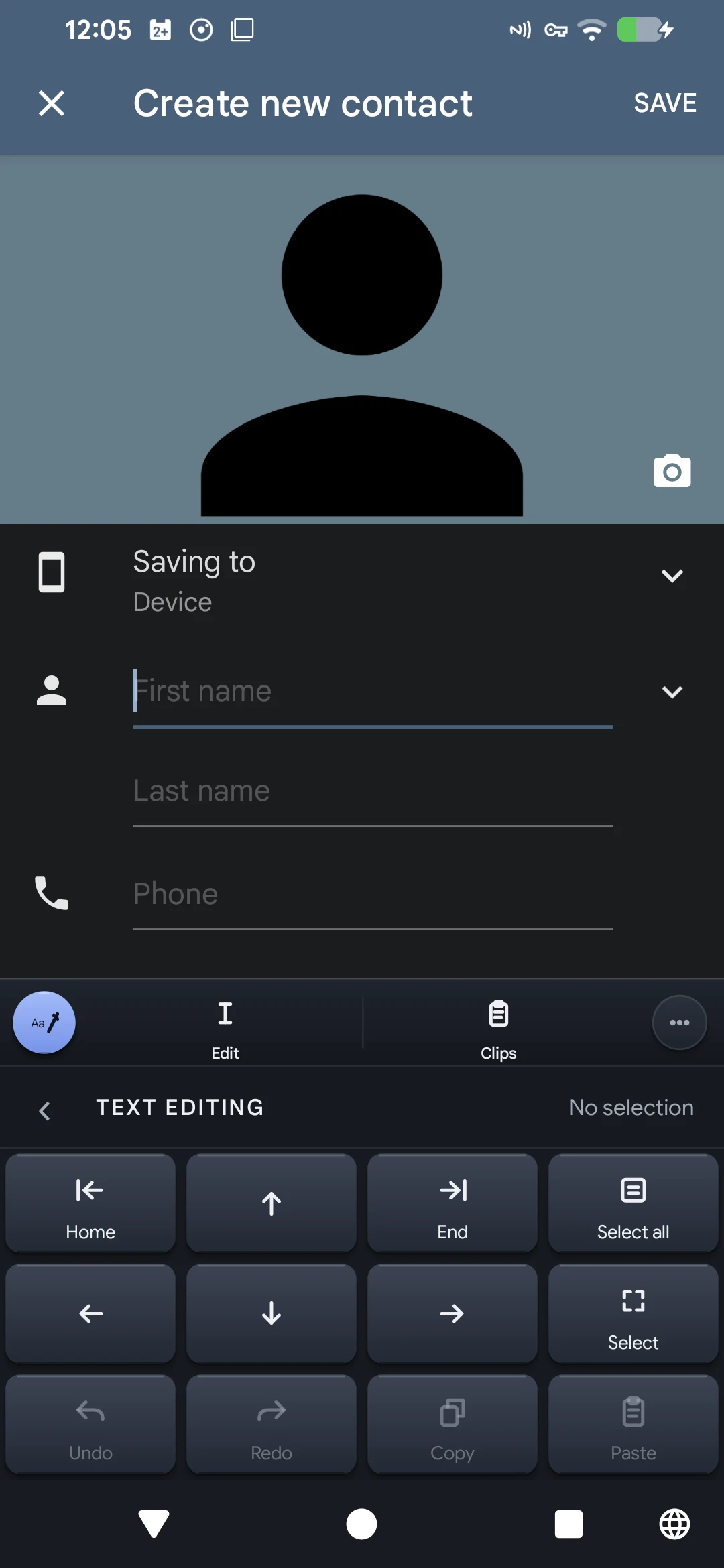
Current SottoKey text editing controls inside Android Contacts
04

BUILT INTO THE DETAILS

Privacy that holds up during daily use.

Privacy changes what the keyboard remembers, what it keeps only in memory, and what it turns off in sensitive fields.

01

Rewrite the right passage

Select the exact text you want, or let SottoKey use the paragraph around your cursor. For long paragraphs, it clearly marks the smaller sentence window being revised.

02

English and Spanish typing

Both dictionaries contribute corrections while your selected language leads the layout and ranking. The rewrite model remains English-focused.

03

A local clipboard

Recent clips stay in memory and expire. Only snippets you deliberately save remain in app-private storage.

04

Light, dark, and OLED

Graphite, paper, pure-black OLED, and dynamic color themes keep the same keyboard geometry.

05

Private fields stay private

Password-class fields disable suggestions, learning, rewriting, and clipboard capture at the keyboard boundary.

06

No edit without review

SottoKey marks insertions and deletions, keeps your original text in place, and waits for a clear decision.

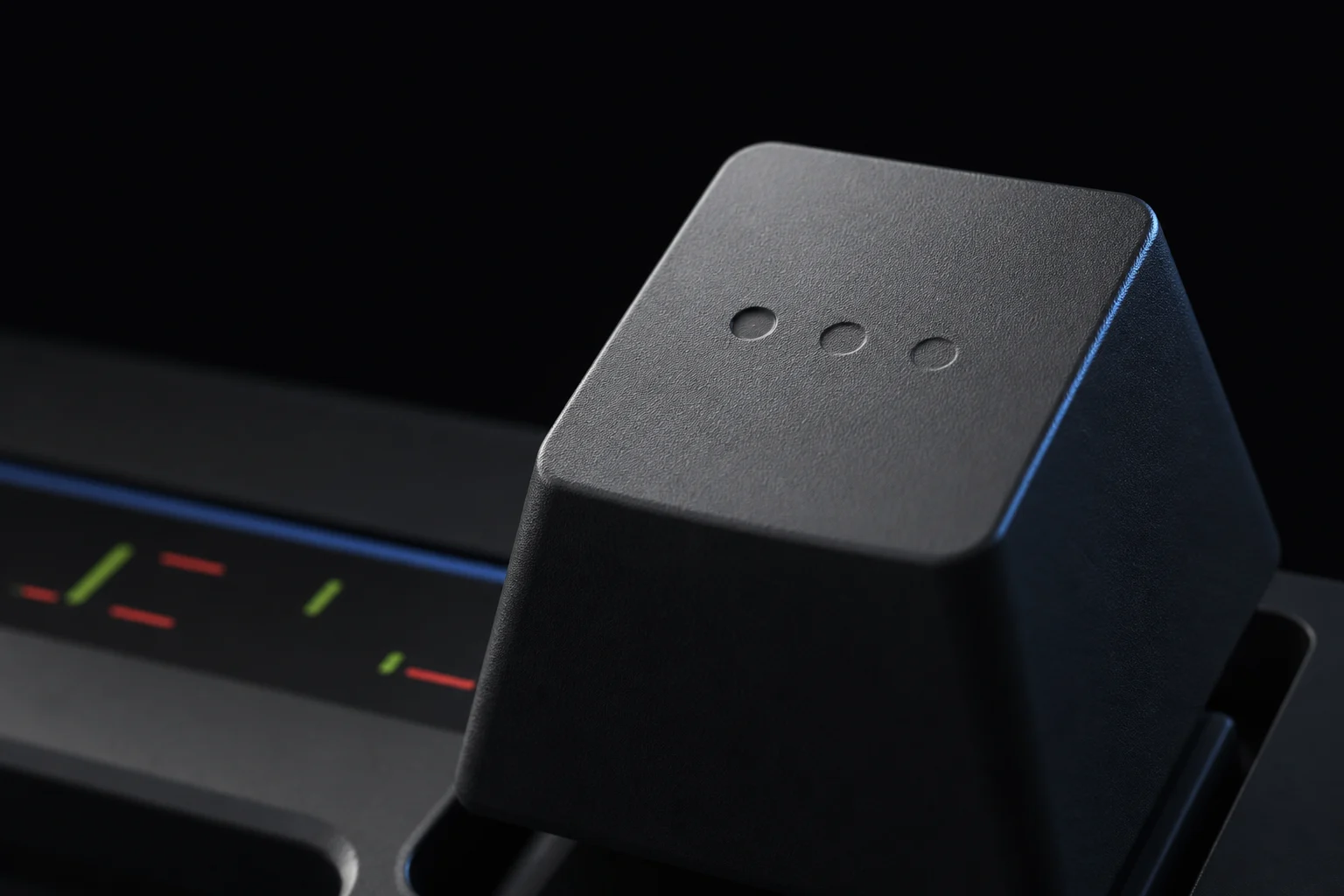
Graphite SottoKey keycap product render

THE GALLEY SYSTEM

A proofreader's interface.

Graphite surfaces, a deep ink accent, red strike marks, green insertions, and responsive key movement keep the visual language grounded in editing rather than conversation.

See it in motion

KEEP THE CLOUD OUT OF THE CONVERSATION

Your keyboard sees enough.
It doesn't need a network.

Write, revise, and decide on your phone.